See exactly how it works.
Every screen of Clip Me Money, in plain words. Hover or tap the numbers to see what each part does.
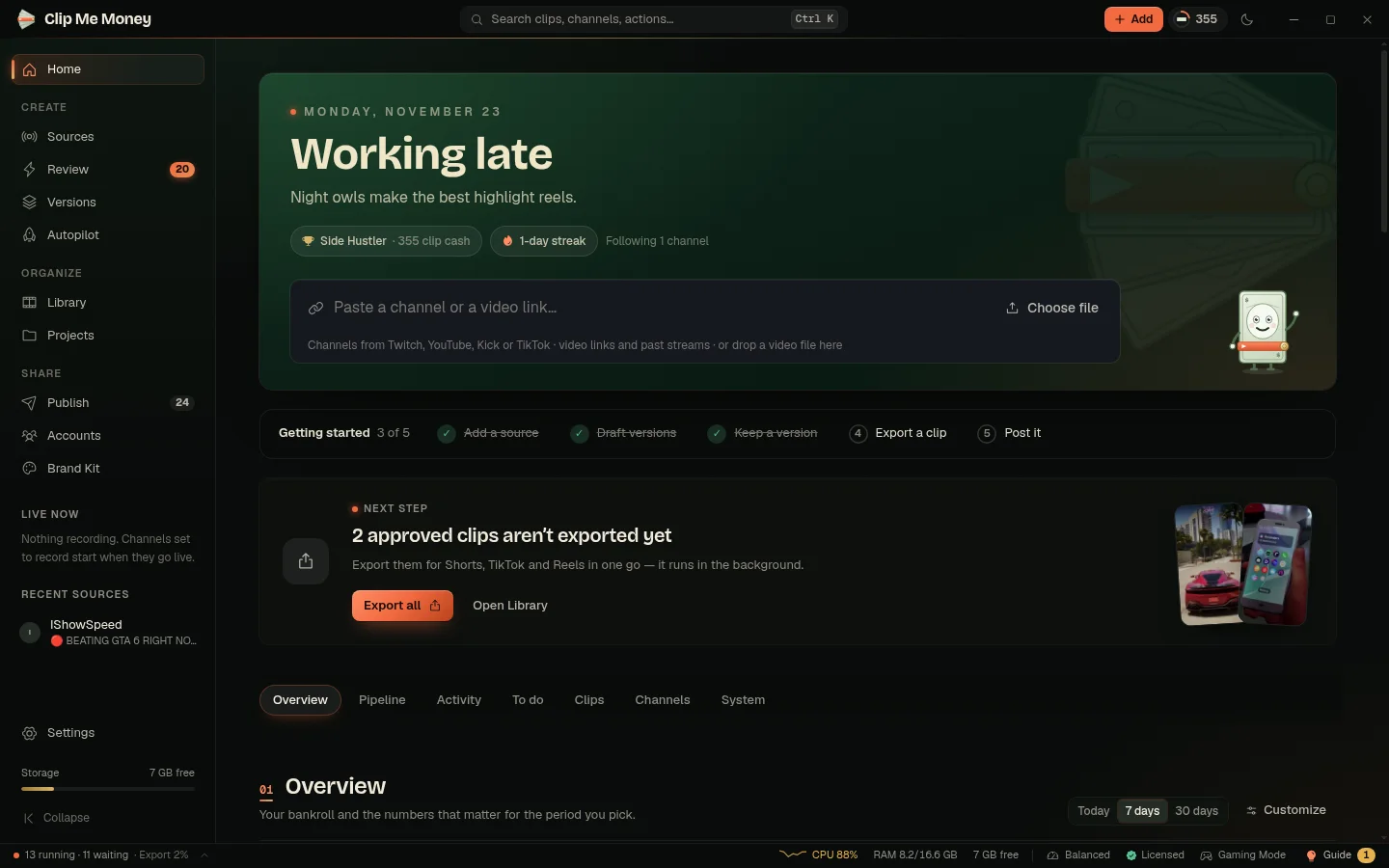
Add a channel or a link.
Paste a Twitch, YouTube, Kick or TikTok channel and it records whenever they go live. Or paste any video link — a past stream, a YouTube video, a podcast — or drop in a file.
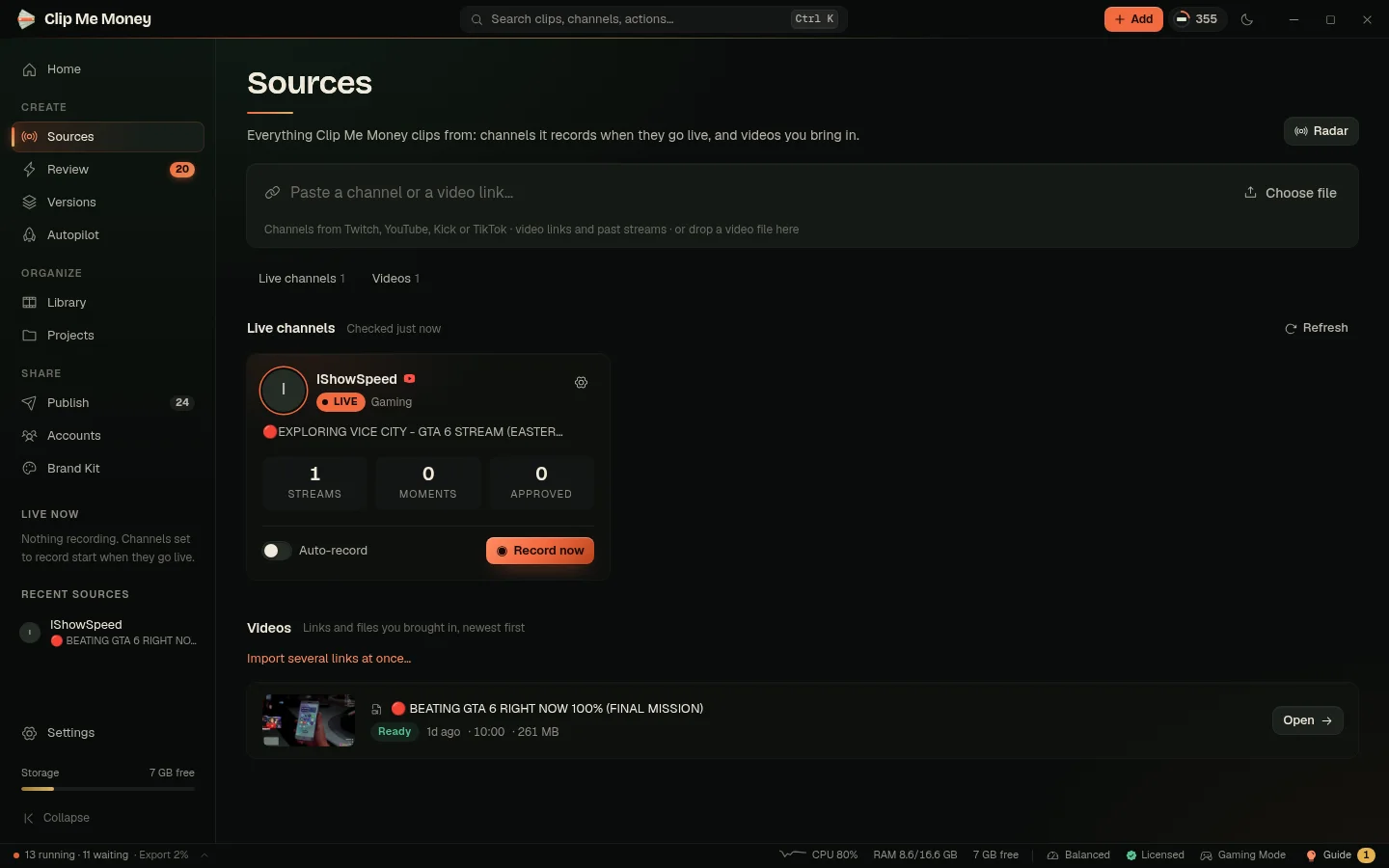
Say what you want.
Pick how long each clip should be — or let it choose the best length — and how many clips you want. One sentence tells you exactly what you will get.
You’ll get: the 5 best moments, each cut where the story ends — usually 15 to 75 seconds. Vertical 9:16.
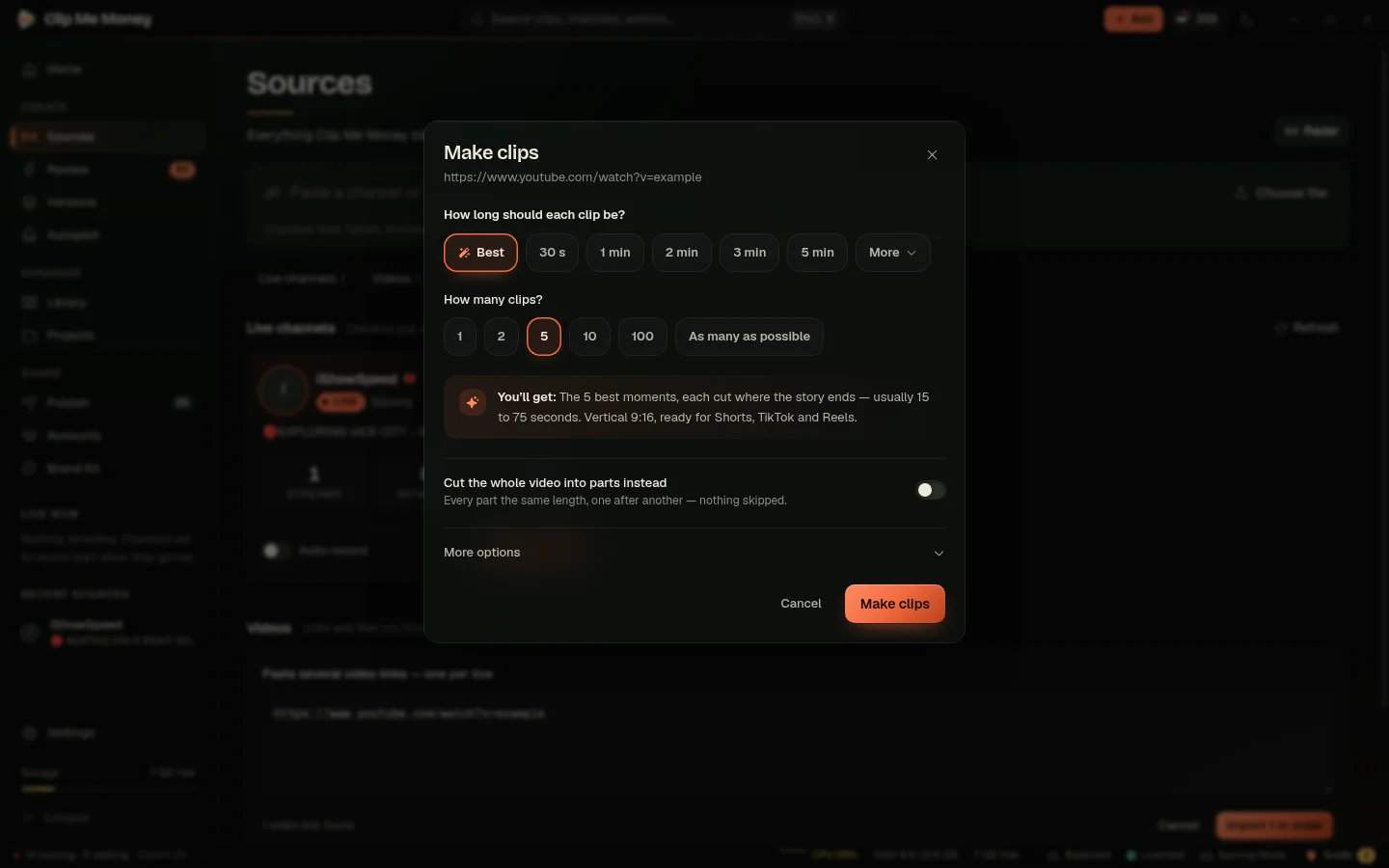
It records and watches.
While a stream records, Clip Me Money watches the chat and listens to the sound. When chat suddenly speeds up and gets loud, something just happened — that is a moment.
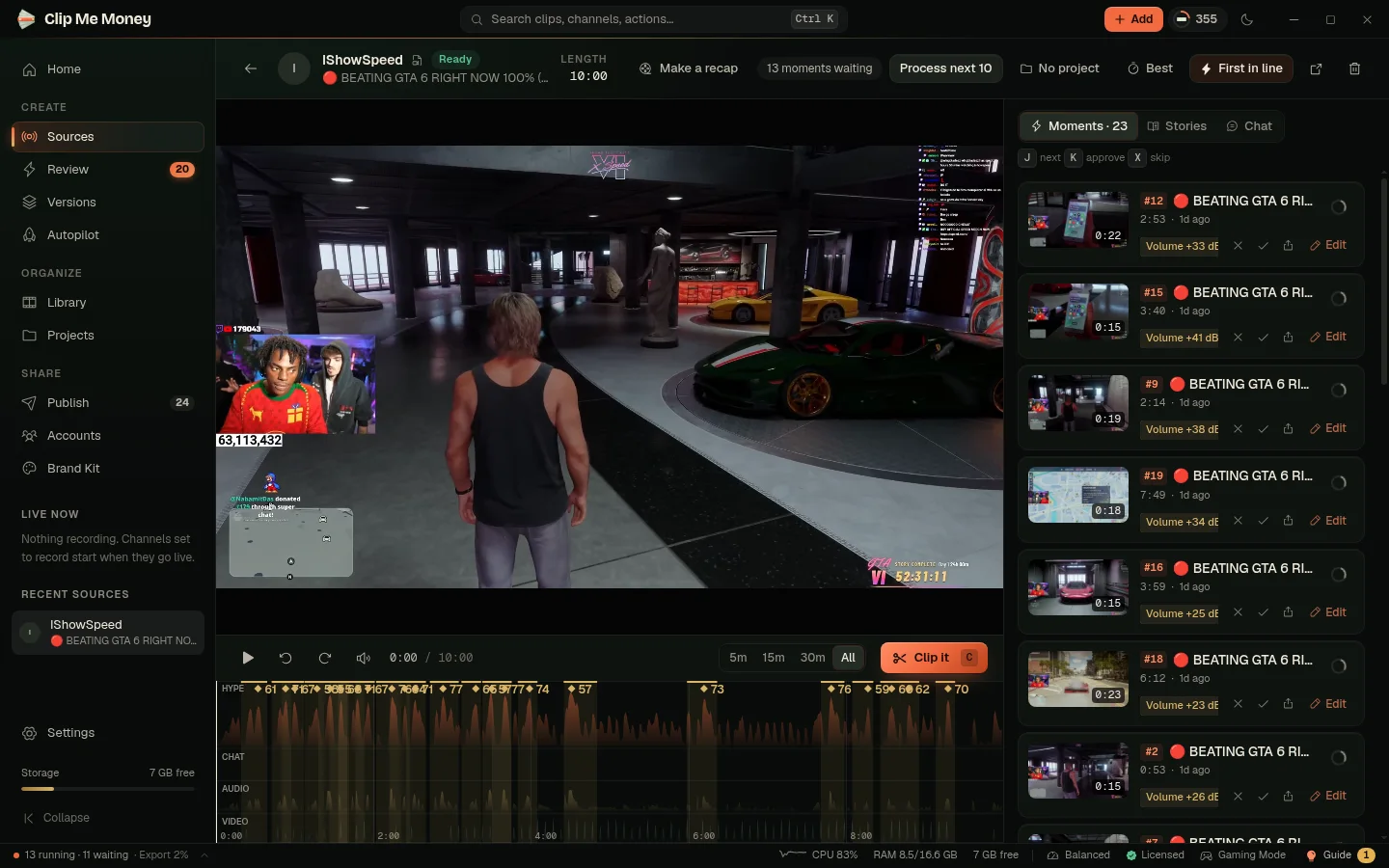
It finds the best moments.
Every moment gets a Catch score — how likely it is to go viral — so the strongest are always first. It never gives you the same part twice.
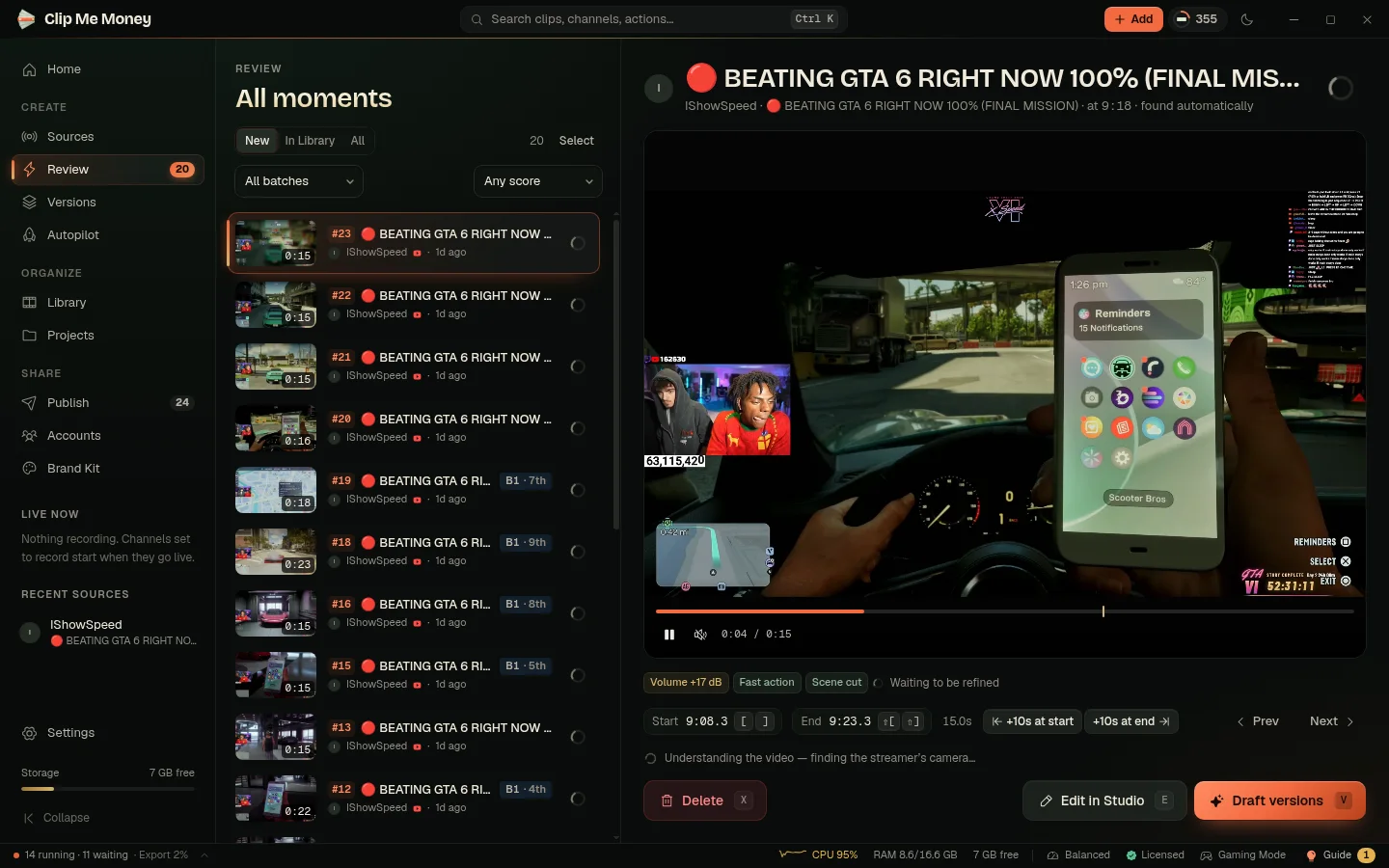
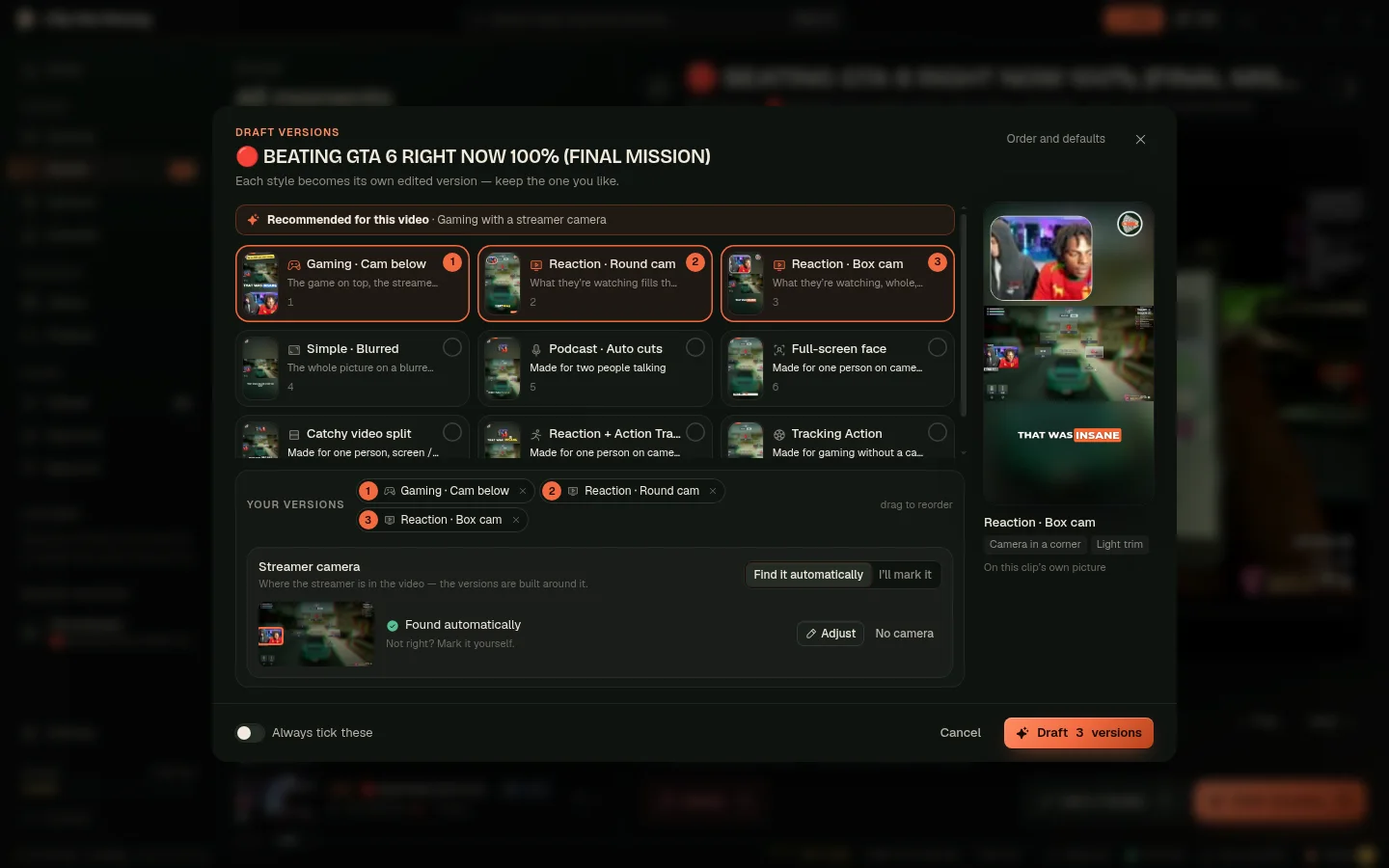
One moment, many versions.
Each moment becomes a clip in every style you tick — gaming, reaction, podcast, tracking and more. The styles that suit the video are picked for you.
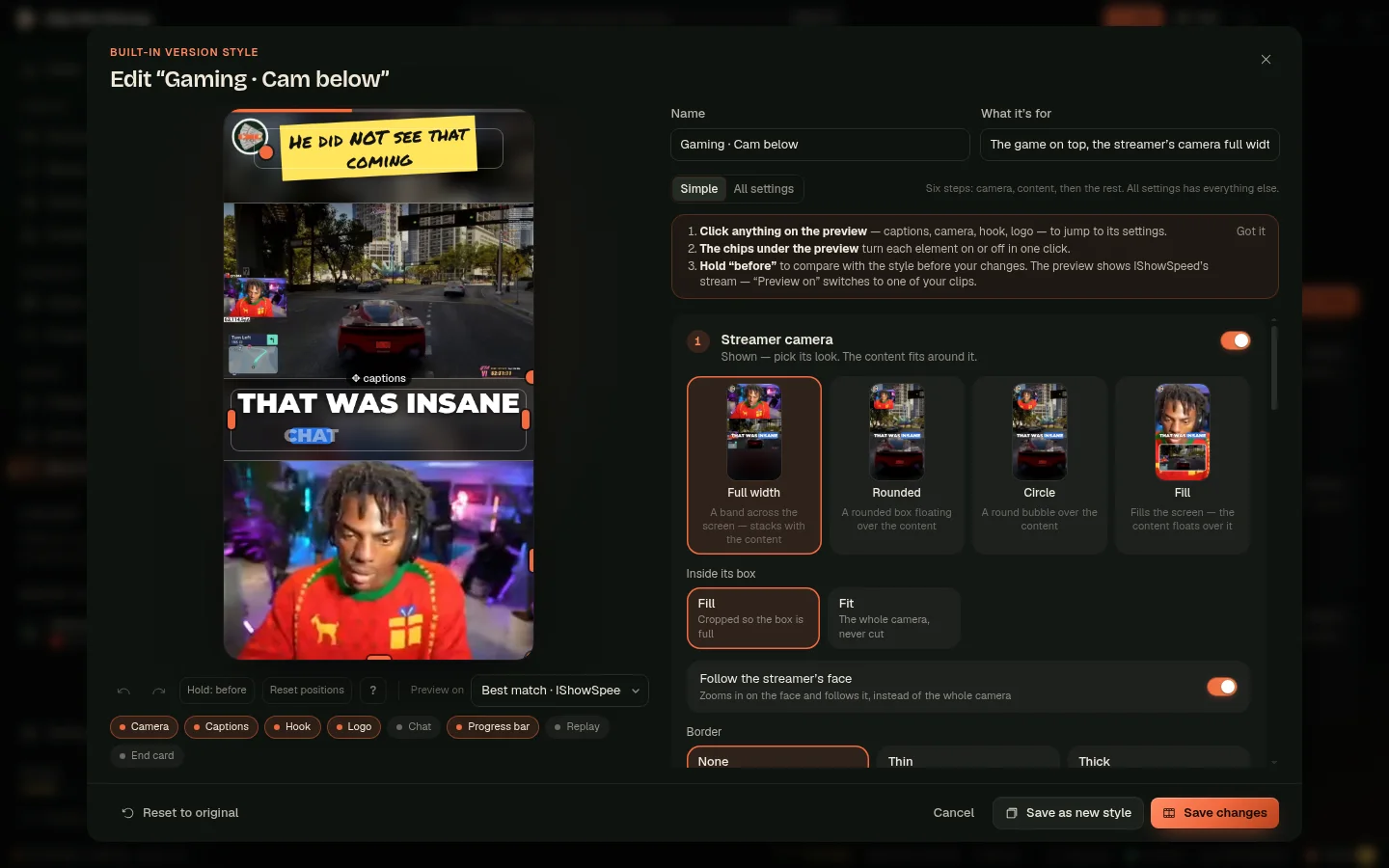
Make it your style.
Drag the camera, the captions and your logo exactly where you want them. Switch anything on or off, then save it as your own style for every new clip.
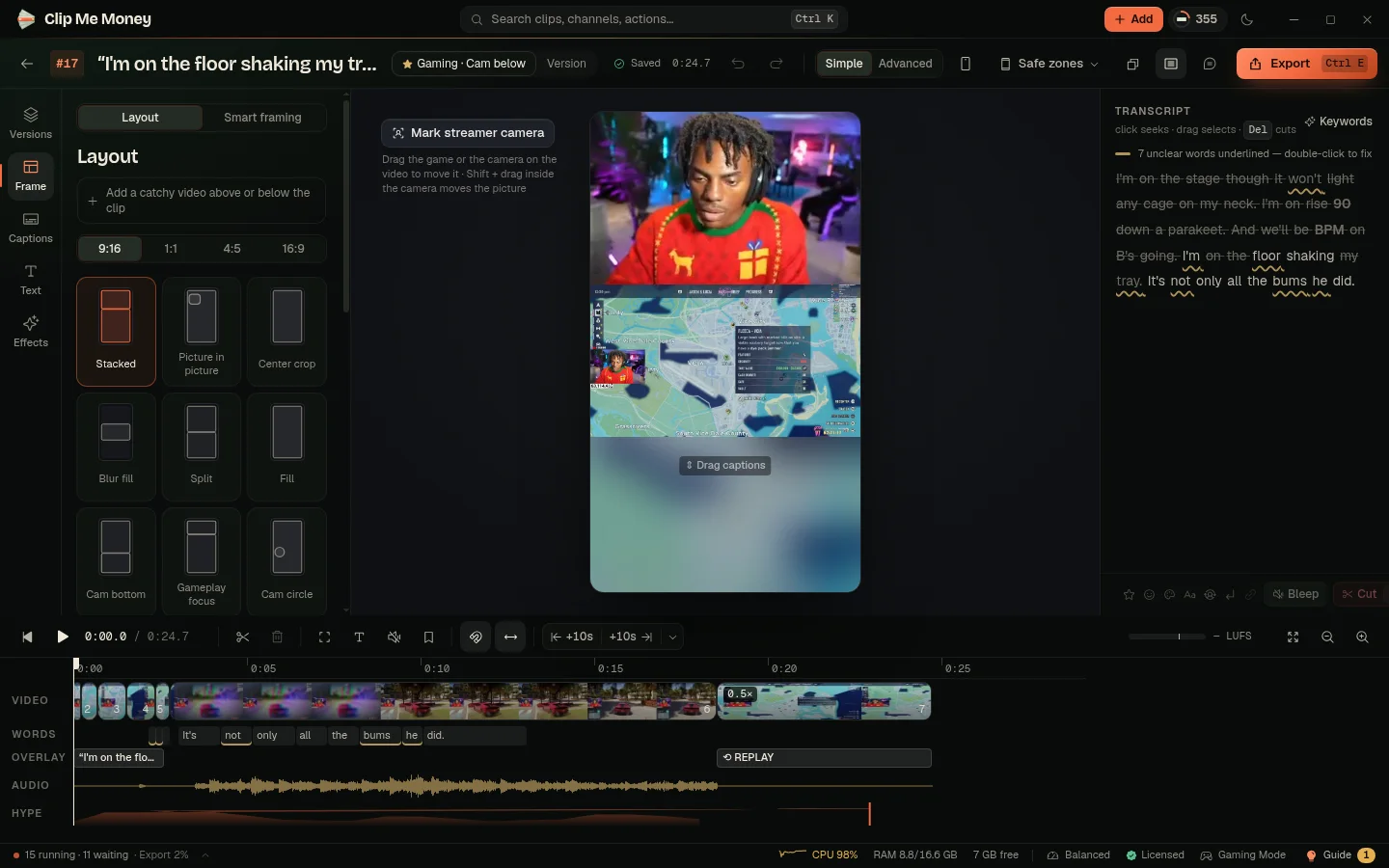
Fine-tune anything.
Want to change one clip? Open it in the Studio: edit the words in the captions, trim on the timeline, change the layout, add a hook title or music.
Keep the best.
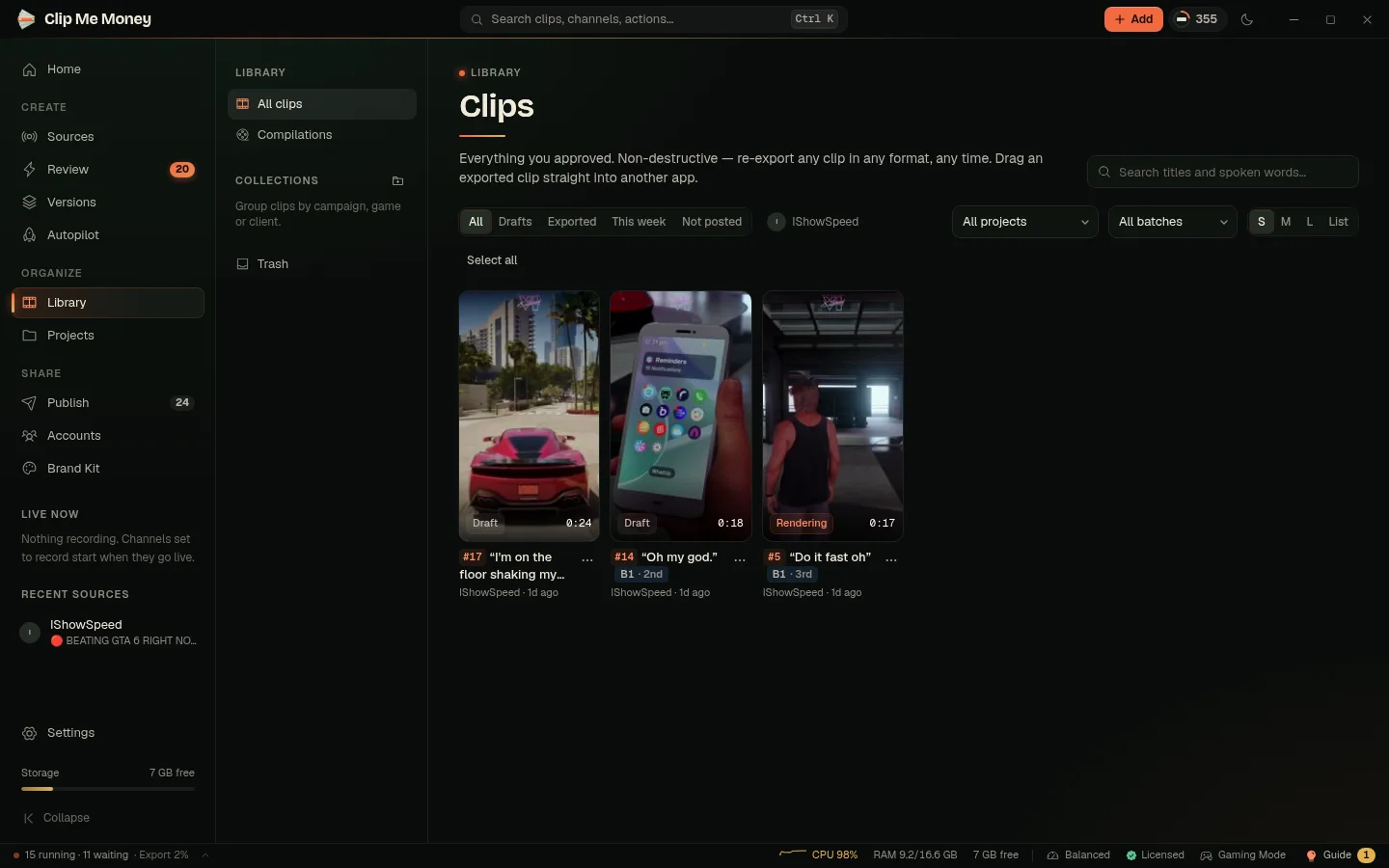
Everything you approve lands in your Library — on your computer, sorted, searchable and ready to post anywhere.
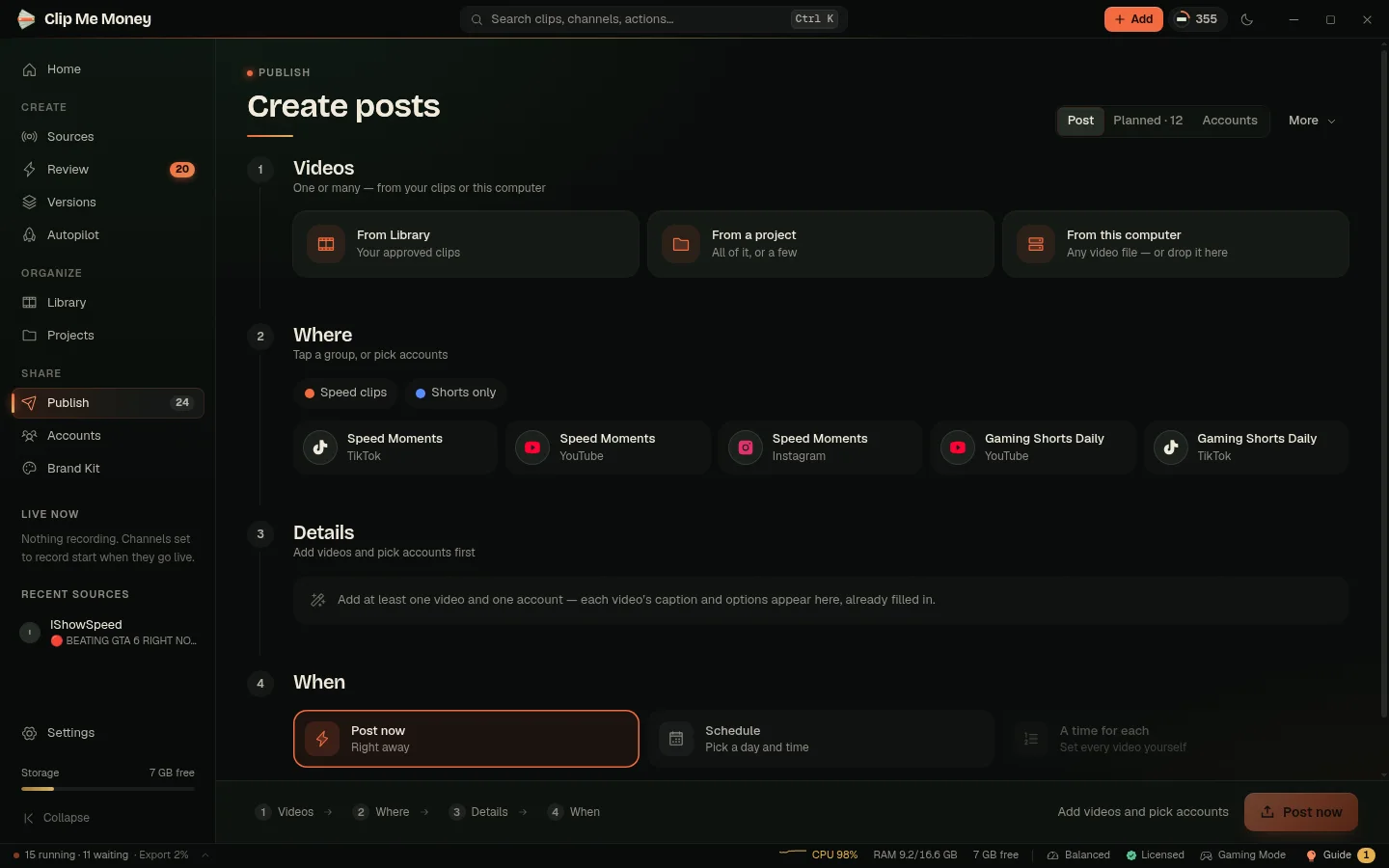
Post everywhere.
Pick your clips, tap a group of accounts and post now — or schedule it. TikTok, YouTube, Instagram and Facebook, each with its own caption filled in.
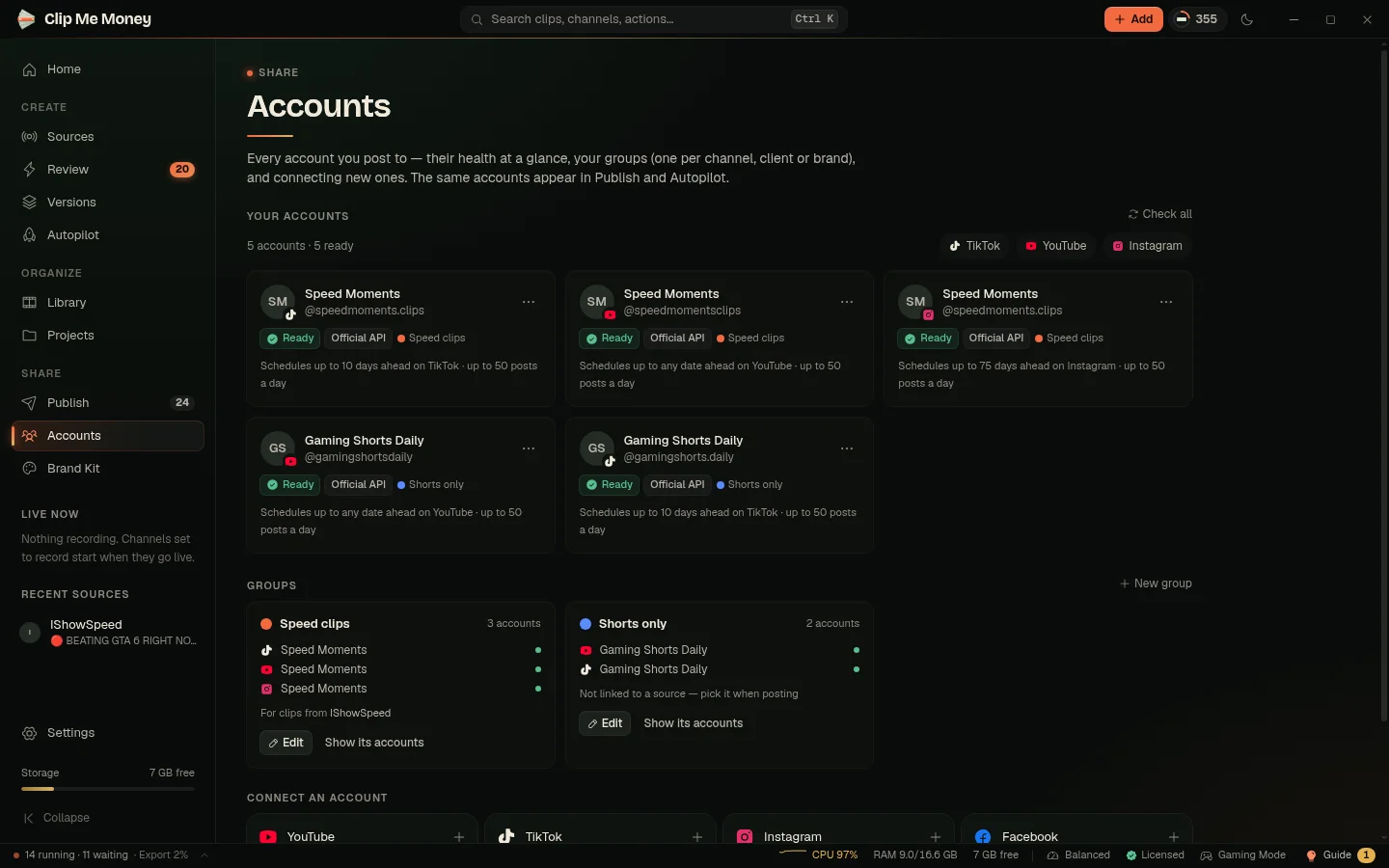
Every account, in groups.
Connect as many accounts as you like and see their health at a glance. Put them in groups — one per channel, client or brand — and post to a whole group in one go.
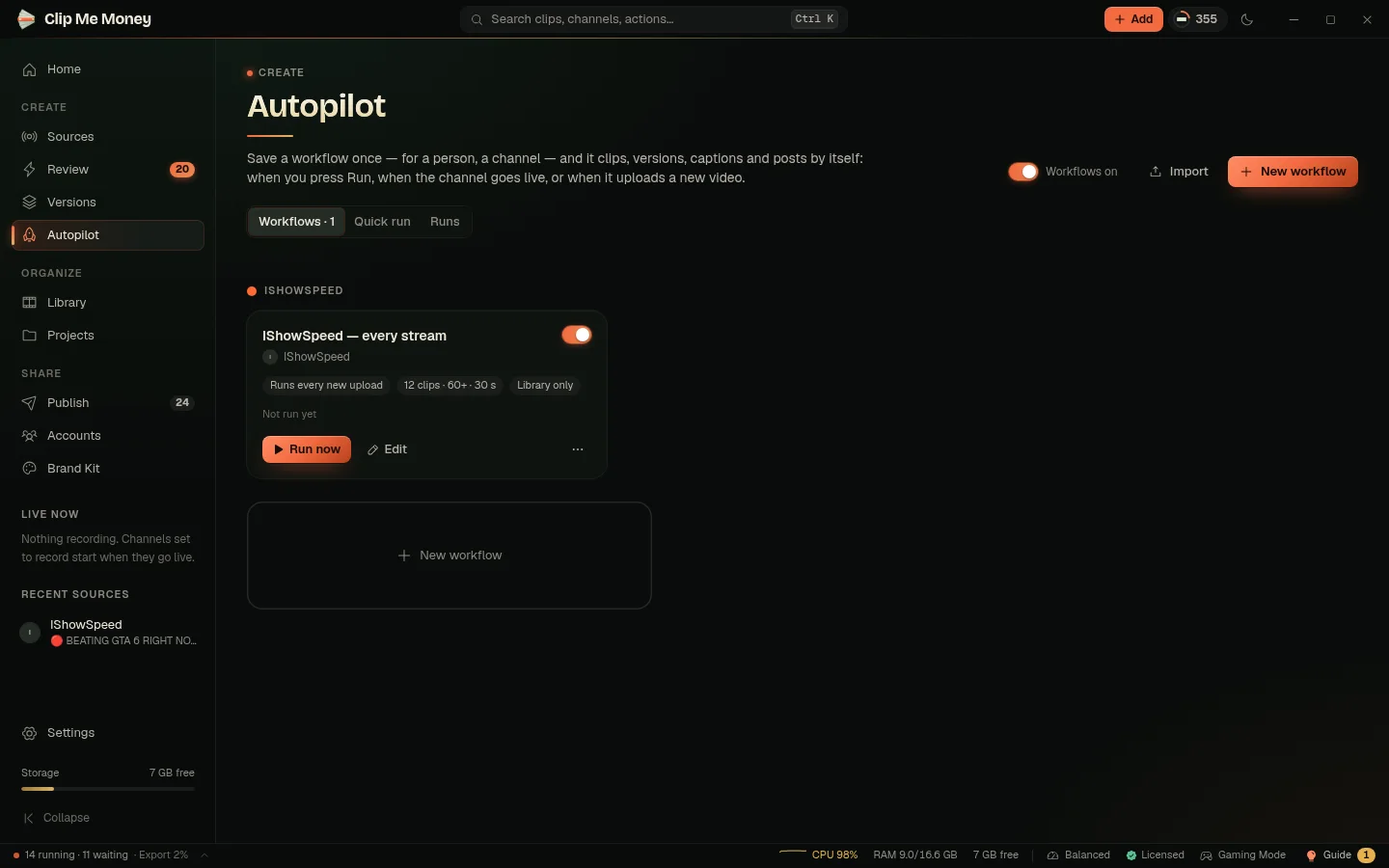
Put it on Autopilot.
Save a workflow once: “when IShowSpeed goes live, record it, find the best moments, make versions and post them.” From then on it runs by itself.
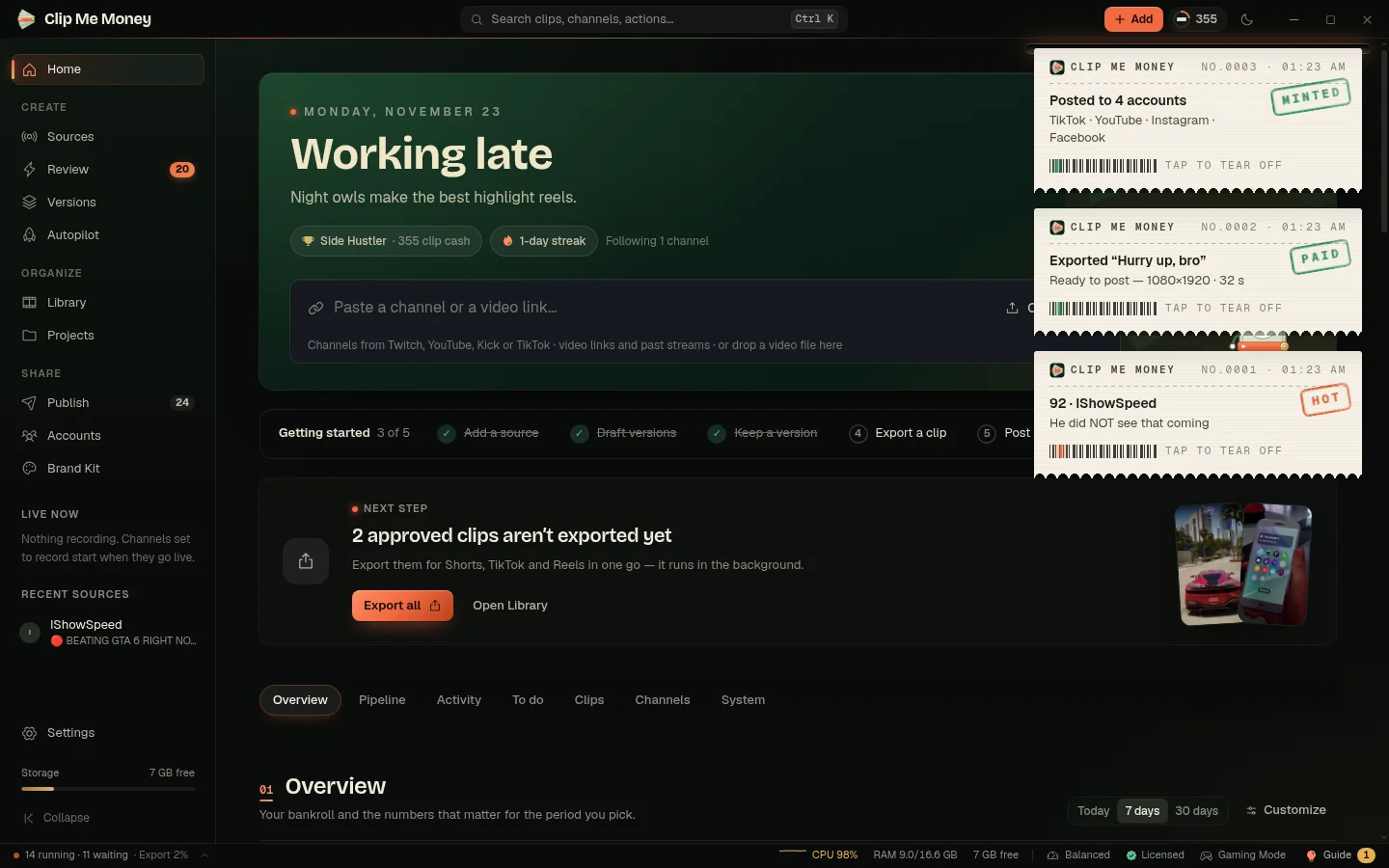
Every result, on a receipt.
When something is ready, a receipt prints in the corner: a moment found, a clip exported, a post published. Tap it to open, or let it tear itself off.
That’s it. Let it work.
Download Clip Me Money, paste your channel and watch the first clips arrive. Yours for life, on your own computer.